reading-notes
This Repo required for Asac labs class 2
Project maintained by ManarAbdelkarim Hosted on GitHub Pages — Theme by mattgraham
Read: 03 - Flexbox and Templating
Javascript Templating
what is Javascript Templating?
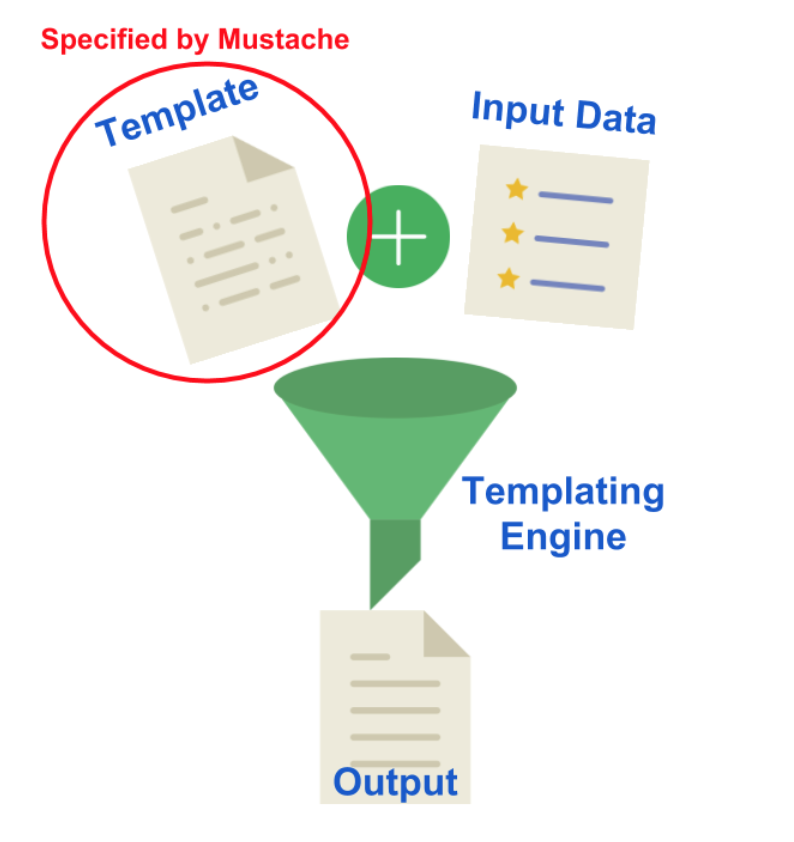
Javascript templating is a fast and efficient technique to render client-side view templates with Javascript by using a JSON data source. The template is HTML markup, with added templating tags that will either insert variables or run programming logic.
## Mustache
what is Mustache?
Mustache is a logic-less template syntax. It can be used for HTML, config files, source code — anything. It works by expanding tags in a template using values provided in a hash or object.
A Guide to Flexbox
Background:
The main idea behind the flex layout is to give the container the ability to alter its items’ width/height (and order) to best fill the available space (mostly to accommodate to all kind of display devices and screen sizes). A flex container expands items to fill available free space or shrinks them to prevent overflow.
Basics and terminology:
align-items
This defines the default behavior for how flex items are laid out along the cross axis on the current line. Think of it as the justify-content version for the cross-axis (perpendicular to the main-axis).
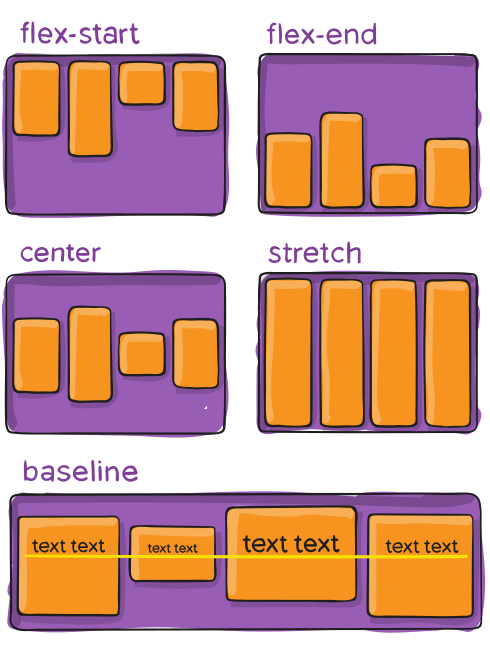
- stretch (default): stretch to fill the container (still respect min-width/max-width)
- flex-start / start / self-start: items are placed at the start of the cross axis. The difference between these is subtle, and is about respecting the flex-direction rules or the writing-mode rules.
- flex-end / end / self-end: items are placed at the end of the cross axis. The difference again is subtle and is about respecting flex-direction rules vs. writing-mode rules.
- center: items are centered in the cross-axis
- baseline: items are aligned such as their baselines align
align-content:
This aligns a flex container’s lines within when there is extra space in the cross-axis, similar to how justify-content aligns individual items within the main-axis.
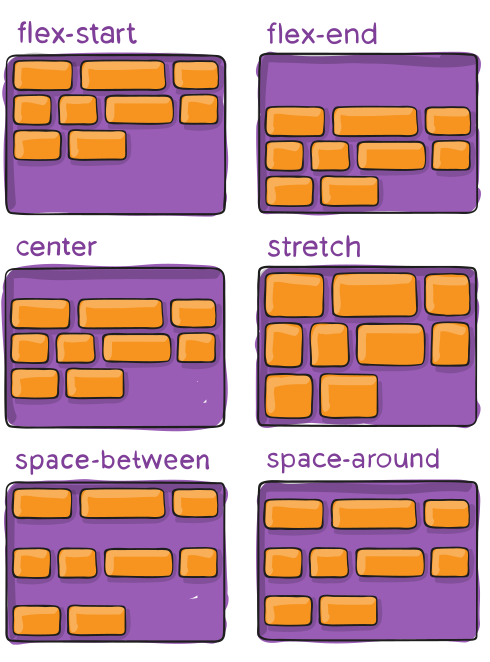
- normal (default): items are packed in their default position as if no value was set.
- flex-start / start: items packed to the start of the container. The (more supported) flex-start honors the flex-direction while start honors the writing-mode direction.
- flex-end / end: items packed to the end of the container. The (more support) flex-end honors the flex-direction while end honors the writing-mode direction.
- center: items centered in the container
- space-between: items evenly distributed; the first line is at the start of the container while the last one is at the end
- space-around: items evenly distributed with equal space around each line
- space-evenly: items are evenly distributed with equal space around them
- stretch: lines stretch to take up the remaining space